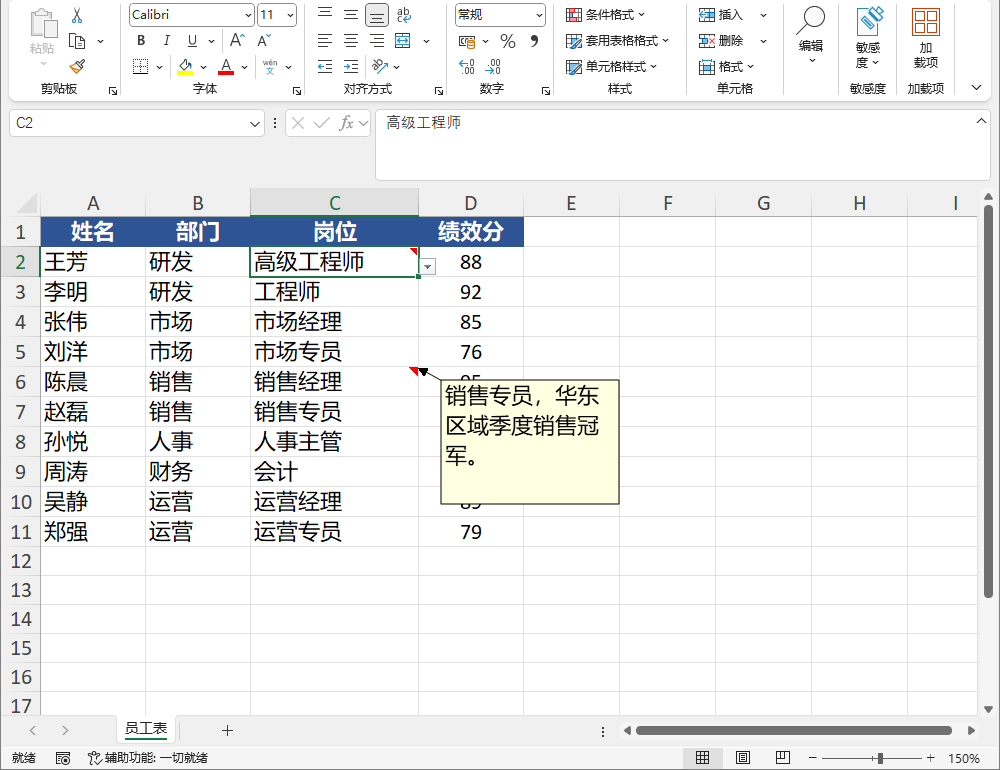
10. 批注
本章介绍批注的写出与读回。
Warning
批注支持 xlsx / xlsm / xls / xlsb 读写;csv 不支持批注,写出时经 OnDegradation 上报(见第 22 章)。xlsx/xlsm 批注写回依赖 OOXML VML legacyDrawing;xlsb 批注存储于独立 commentsN.bin 部件 + VML;xls 批注使用 BIFF8 记录组(MSODRAWING + OBJ + TXO + CONTINUE + NOTE)。批注均需用真实 Excel 打开验证。
10.1 写出批注 Comments
Worksheet.Comments 为 Dictionary<string, string>,key 为 A1 格式单元格引用,value 为批注文本:
var ws = Excel.Create().Worksheets["Sheet1"];
ws.SetValue("A1", "x");
ws.Comments = new Dictionary<string, string>
{
    { "A1", "This is a comment on A1" },
    { "B1", "Note for B1 <with special chars>" },
};
| 参数 | 类型 | 说明 |
|---|---|---|
| key | string |
A1 格式单元格引用 |
| value | string |
批注文本 |
10.2 读回批注
var opened = Excel.Open("comments.xlsx");
var comments = opened.Worksheets[0].Comments;
if (comments is not null && comments.TryGetValue("A1", out var text))
    Console.WriteLine(text);
输出:
对象模型:按单元格加读批注:
var ws = Excel.Create().Worksheets["Sheet1"];
ws.Cell("C5").SetValue("data");

ws.Comments ??= new Dictionary<string, string>();
ws.Comments["C5"] = "审核通过";
读回:
var opened = Excel.Open("coments2.xlsx");
string? note = null;
opened.Worksheets[0].Comments?TryGetValue("C5", out note);
Console.WriteLine(note);
输出: